Code Judgement Tasks
In code review and design rounds, interviewers ask you to compare approaches and explain which one you would ship. Code Judgement Tasks let you practise that.
Each task gives you a brief and several working implementations of it. You test each option, choose the best one and explain your reasoning in 100 words or fewer.
- 01fail
Option 1, toArray() method
The object is not iterable, so for...of throws a TypeError
- 02fail
Option 2, values() method
A named method does not satisfy the iteration protocol
- 03pass
Option 3, Symbol.iterator generator
Iterable, and the metadata stays available as own properties
- 04fail
Option 4, entries property
The object is not iterable and the full dataset is built upfront
A sample task with four implementations
A serialization framework wraps data collections in objects that carry schema metadata. Consumer code uses for...of, spread and Array.from. Iteration must return only the data entries, not the metadata fields. There are four implementations, and you choose the one that meets the brief.
This task practises reading built-in symbols, spotting where an object does not meet a protocol, telling named methods apart from language hooks, and comparing eager and lazy iteration.
- 1
toArray() method
obj.toArray = function() {
  return Object.entries(data).map(...);
};
A named method only, so the object is not iterable
- 2
values() method
obj.values = function() {
  return Object.entries(data).map(...);
};
Same shape as Map and Set but not wired to the protocol
Symbol.iterator generator
obj[Symbol.iterator] = function*() {
  for (const [k, v] of Object.entries(data))
    yield { key: k, value: v };
};
Implements the built-in iteration protocol
- 4
entries property (eager array)
return { ...meta, entries: Object.entries(data).map(...) };Object still not iterable, and the array is built upfront
How a Code Judgement Task works
Each task has a brief and two or more implementations of it. You open each option, run it in your workspace to test the edge cases, then choose one and write your reasoning.
- 01Read the brief and the constraint it names.
- 02Open each option.
- 03Run the options in the workspace to see where each one fails.
- 04Choose an option and explain your reasoning in 100 words or fewer.
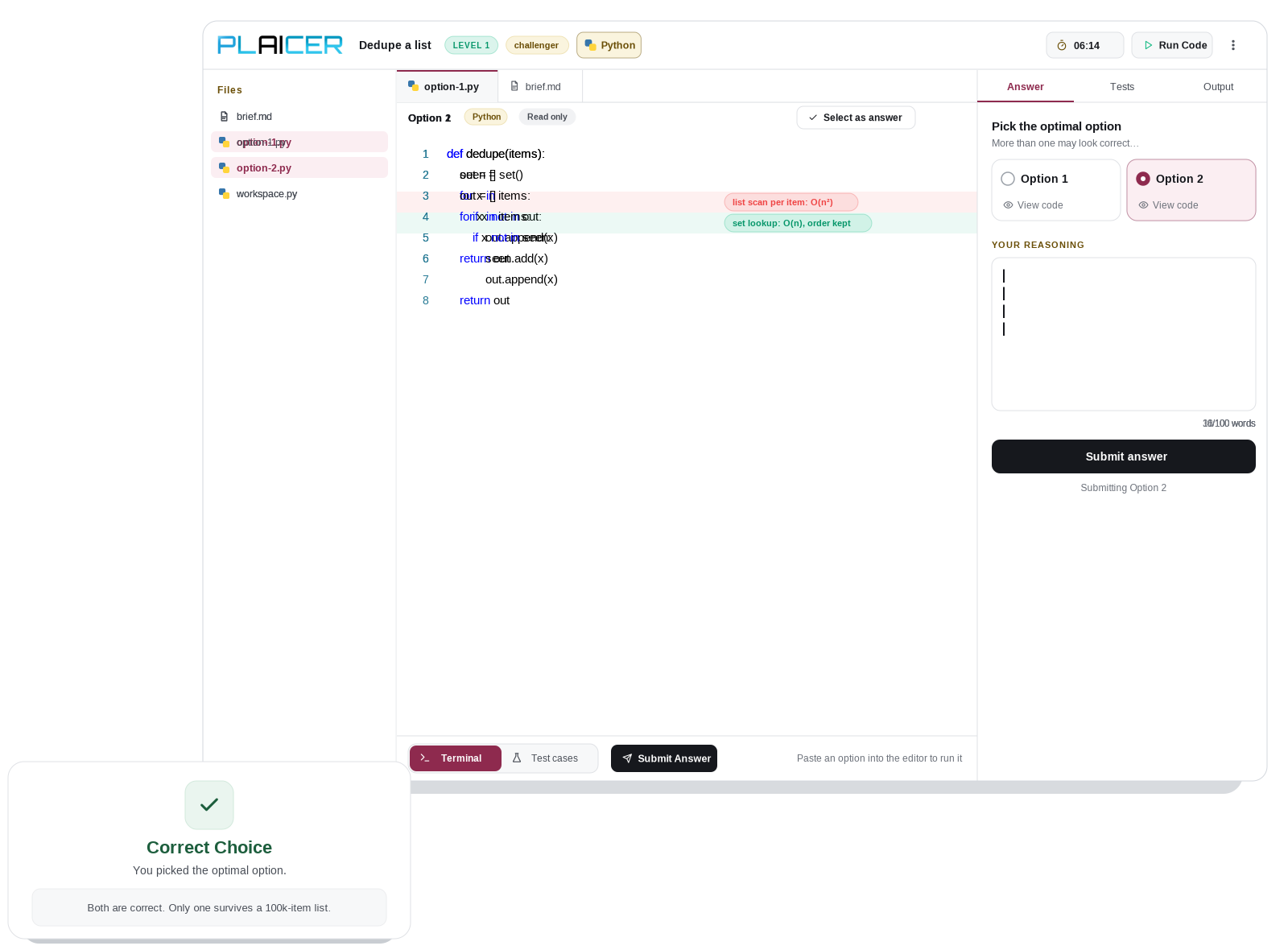
What you see and do in a Code Judgement Task
You start a task by choosing a language and a level. You are given a task you have not seen before.
The options
The Files rail lists the instruction tabs, each option and a workspace. Each option opens read only, with its language and two buttons, Select as answer and Paste in Editor.
Testing in the workspace
Paste in Editor copies an option into your workspace. In the Terminal view you run it and read its output and errors.
In the Test cases view you add your own inputs and expected outputs, run them against the option and see which pass.
Choosing and explaining
The Answer tab asks you to pick the optimal option. More than one may look correct, and you choose the one that holds up in review.
You must write your reasoning before you can submit, in 100 words or fewer. A counter shows how many words you have used.
Feedback
After you submit you see whether you picked the optimal option, followed by written feedback on the option you chose that explains what that choice means in review.
Your reasoning is saved with your answer, and you can retake the task.
Your results
The results page shows whether you passed, the option you selected, the time taken, your attempts and your reasoning. In Challenger mode it also shows tab changes and full-screen exits.
It also shows your pass rate across every attempt at this kind of task, and the code of the option you selected.
Training mode and Challenger mode
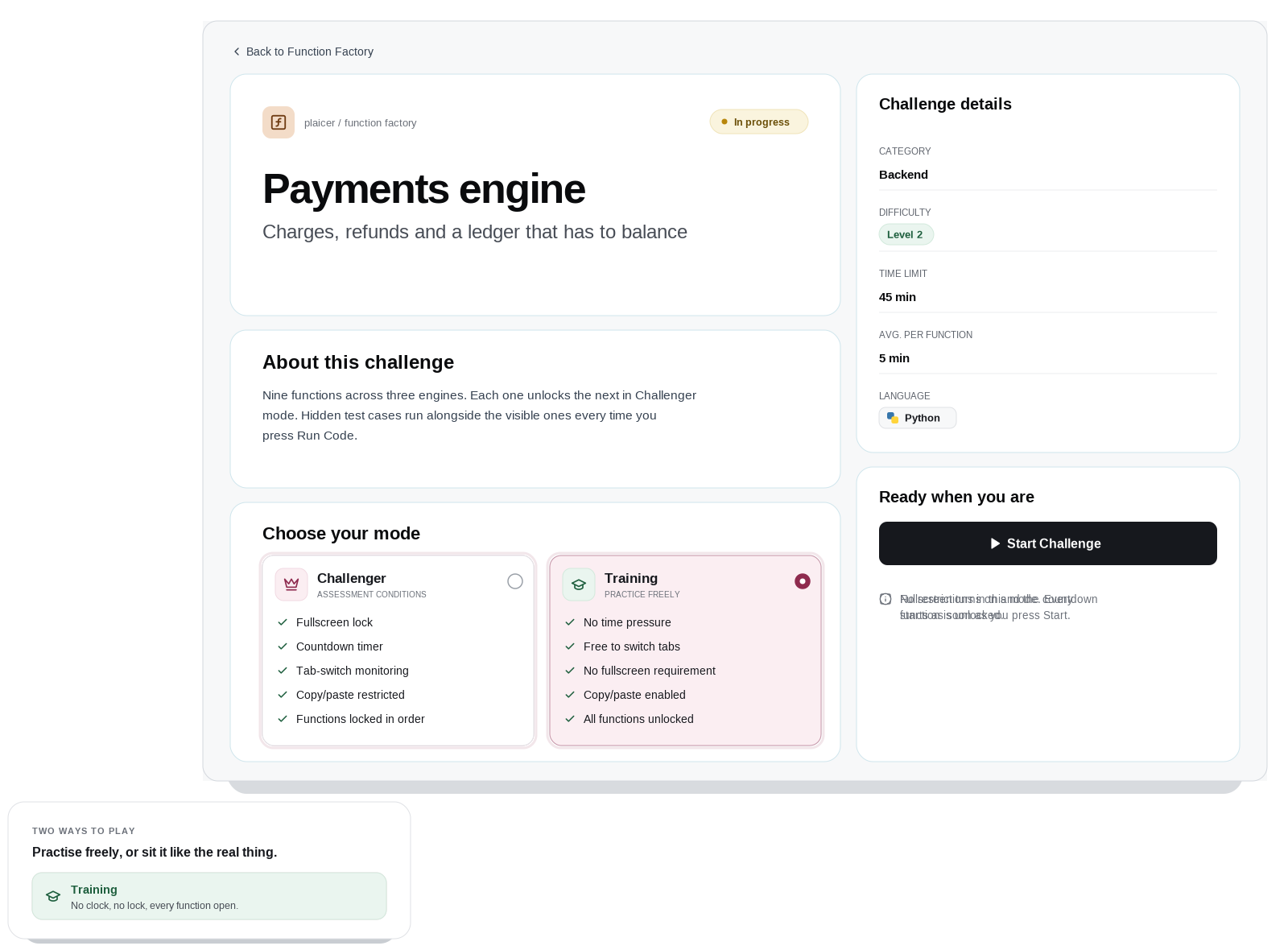
Before each task starts you choose a mode. Challenger mode simulates the conditions of a real online assessment. Training mode lets you practise the same task without restrictions.
In Challenger mode, full screen turns on when you start and a clock shows the time elapsed. Leaving full screen or switching tabs is recorded with your answer.
In Training mode there is no time pressure. You can switch tabs and full screen is not required.
Three levels in every set
Each set of Code Judgement Tasks has three levels, and the differences between the options get smaller at each level.
Level 1, comparing implementations
You get several implementations of the same function and choose the best one by correctness, efficiency and readability, then explain your reasoning.
Level 2, trade-offs under constraints
More than one option may return the right output. You compare how each handles edge cases, how it performs as the input grows and how easy it is for another developer to read.
Level 3, review-level decisions
The differences between options are small and depend on the context in the brief. You make the kind of decision a senior engineer makes when reviewing production code.
What each Code Judgement Task includes
A brief that names the constraint
Each task has a brief that names the constraint, and the constraint decides which option is correct.
Written feedback on your choice
After you submit, you see whether you picked the optimal option and read feedback on what the option you chose means in review.
Written reasoning
You explain your choice in 100 words or fewer, and the reasoning is saved with your answer.
Code from production systems
Options cover iteration protocols, async patterns, error handling and API design.