C++ Backend Tasks
Practical interview rounds often give you a written spec and an empty file. C++ Backend Tasks let you practise that in C++.
You build each function from the spec and run it against visible and hidden tests. The last function in each engine, the summit function, combines your other functions into one result.
- 01pass
Single pending bid correctly identified as highest
- 02pass
Roster count accurate after purchase and release
- 03fail
Pending bids deducted from available budget
- 04fail
Duplicate bids for same player detected
- 05fail
Full pipeline integrated across all functions
The CricketKings sample task
CricketKings is the auction engine of a fantasy cricket platform. It validates bids, counts rosters, tracks budgets and checks eligibility. You build every function from scratch and combine them in a pipeline function.
Build the auction validation engine
Five separate functions and one pipeline function that combines them. Every function has to handle malformed data, missing fields and inconsistent timestamps. The pipeline combines their outputs into one result.
- highest_bid_correctly_identified
- active_roster_count_accurate
- budget_reflects_pending_bids
- duplicate_bids_detected
- full_pipeline_integrated
- Building functions from a written spec
- Parsing and validating string data you cannot trust
- Replaying events in time order with sets
- Combining separate functions in a pipeline function
- Defensive C++ without exceptions
01// Find the highest bid for a player across all teams.02// Only BID transactions with PENDING or COMPLETED status count.03// Malformed amounts are treated as 0 but still count as bids.04// Returns the highest amount as a string, or "NONE" if no bids exist.0506void get_highest_bid() {07 // Implement this function08}
How a C++ Backend Task works
Each task is a set of engines. You read the spec for an engine and write each function in C++ from the spec, then run it against the tests.
- 01Read the spec for the engine.
- 02Write the function in C++ from the spec.
- 03Run the tests and read the symptom message for each failing test.
- 04Pass the function and move to the next one in the engine.
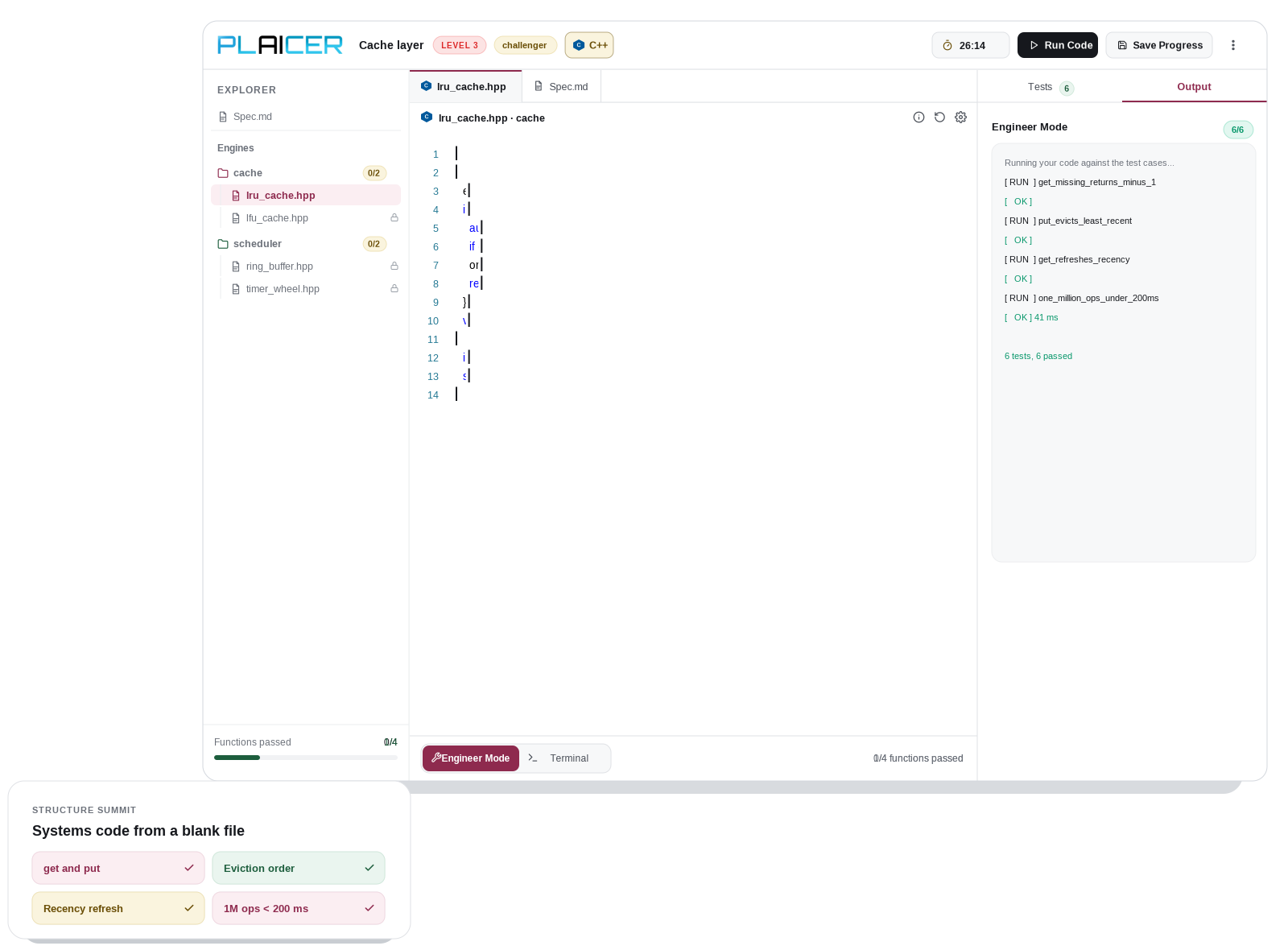
What you see and do in a C++ Backend Task
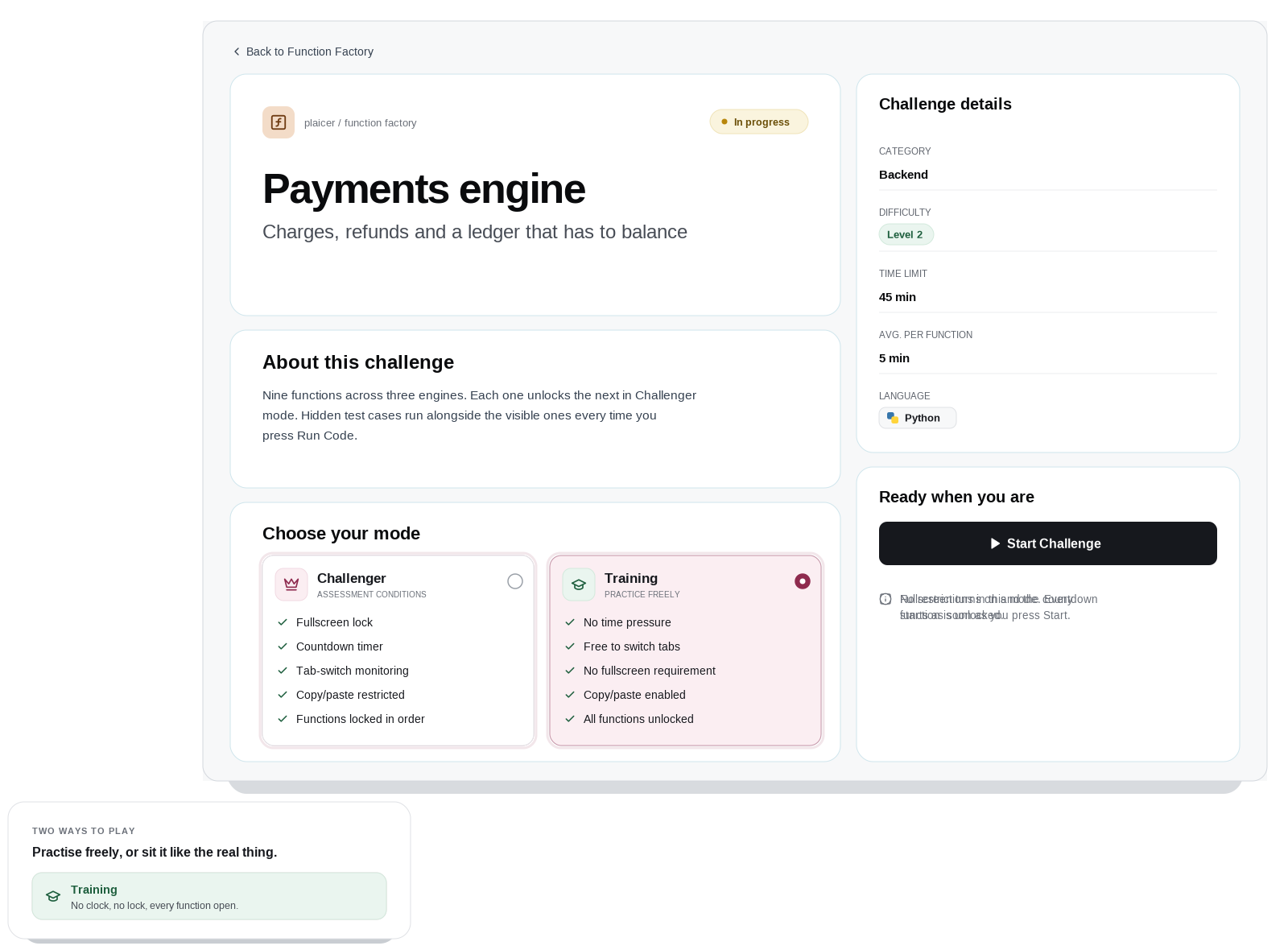
Each task opens on a page that describes it and lists its category, difficulty, time limit, average time per function and language. You choose a mode there and start.
The spec and the approach
The Explorer on the left lists the engines and their functions, with a count of functions passed. Each function has a brief tab, which says what it must do, and an approach tab, which describes how to tackle it.
Rules for your C++ code
The test harness calls your functions directly and reads its results from standard output. You do not add a main() function and you do not print with cout, printf or similar calls.
If your code contains main( or an output call, the run stops and a notice explains why before anything is tested.
What a failing test shows
At Level 1 the terminal view shows the input, expected output, actual output, standard error and exit code for each visible test. You can switch to Engineer Mode, which shows a one-line result or symptom for every test.
At Levels 2 and 3 each test shows only its symptom line, so you trace the fault from the symptom.
The summit function
In an engine with two or more functions, the last one is the summit. It opens when every earlier function in the engine passes.
Each passed function then gets a Copy button. You paste your completed functions above the summit function so they compile together as one file.
Timers and progress
Each function has its own timer, which turns red in the last minute. When it runs out you can keep working, because your score is based on the tests you pass, and the function is marked Timed Out on your results.
The first time a function passes every test, your progress saves. When every function passes, the task is complete and the results page opens.
Your results
The results page shows the share of functions that passed every test, the functions passed, the time taken and the number of code resets. In Challenger mode it also shows tab changes and full-screen exits.
Progress by engine lists every function with its tests passed, its time and its mode, and marks any function that timed out or was not started.
Training mode and Challenger mode
Before each task starts you choose a mode. Challenger mode simulates the conditions of a real online assessment. Training mode lets you practise the same task without restrictions.
In Challenger mode, full screen turns on when you start and each function has a countdown timer. Leaving full screen or switching tabs is recorded on your results. Copying code out of the editor is blocked, and each function opens only after the one before it passes.
In Training mode there is no time pressure. The timer counts up, you can switch tabs, full screen is not required, copy and paste work, and every function is open.
Three levels in every set
Each set of C++ Backend Tasks has three levels, and each level adds conditions the code has to handle.
Level 1, structures from a spec
You read the spec and build the structure and its logic in C++. Each function has to return exactly what the spec describes.
Level 2, performance under load
Each design decision has a cost that the tests measure. A structure that works on small inputs but is slow on large ones fails the larger tests.
Level 3, design decisions
Tasks test whether your design holds up under load and scales as the input grows, as well as whether it returns the right result.
What each C++ Backend Task includes
Built from the spec
Each function has a brief that says what it must do and an approach tab that describes how to tackle it. You write the implementation.
Visible and hidden tests
The Tests tab shows the visible tests with their input and expected output. Run Code runs every test, hidden tests included, and the hidden tests count toward your passed total.
A summit function
The last function in an engine combines your other functions. It opens when every earlier function in the engine passes.
Backend systems as the setting
Tasks are set in backend systems such as fantasy cricket, auction platforms and tournament infrastructure.