Plaicer for students
Applications for developer roles are often filtered by a timed data structures and algorithms assessment before anyone interviews you. Candidates who pass it then meet interview stages, where an interviewer asks technical questions, watches them write and fix code and follows up on what they say.
Plaicer lets you practise each of these parts before you apply. Every attempt gets its own report, with a score for each named dimension, the areas to work on and what to practise next.
- Technical Interview Practice
- Data Structures and Algorithms Screening Practice
- Training Ground
- Building with AI
- Online compilers
What each part of the hiring process asks of you
Each card starts with what happens in the real process, then what you can practise on Plaicer for it.
What you see and do in each product
Three examples of what happens on screen, from an interview stage, a screening round and a Training Ground task.
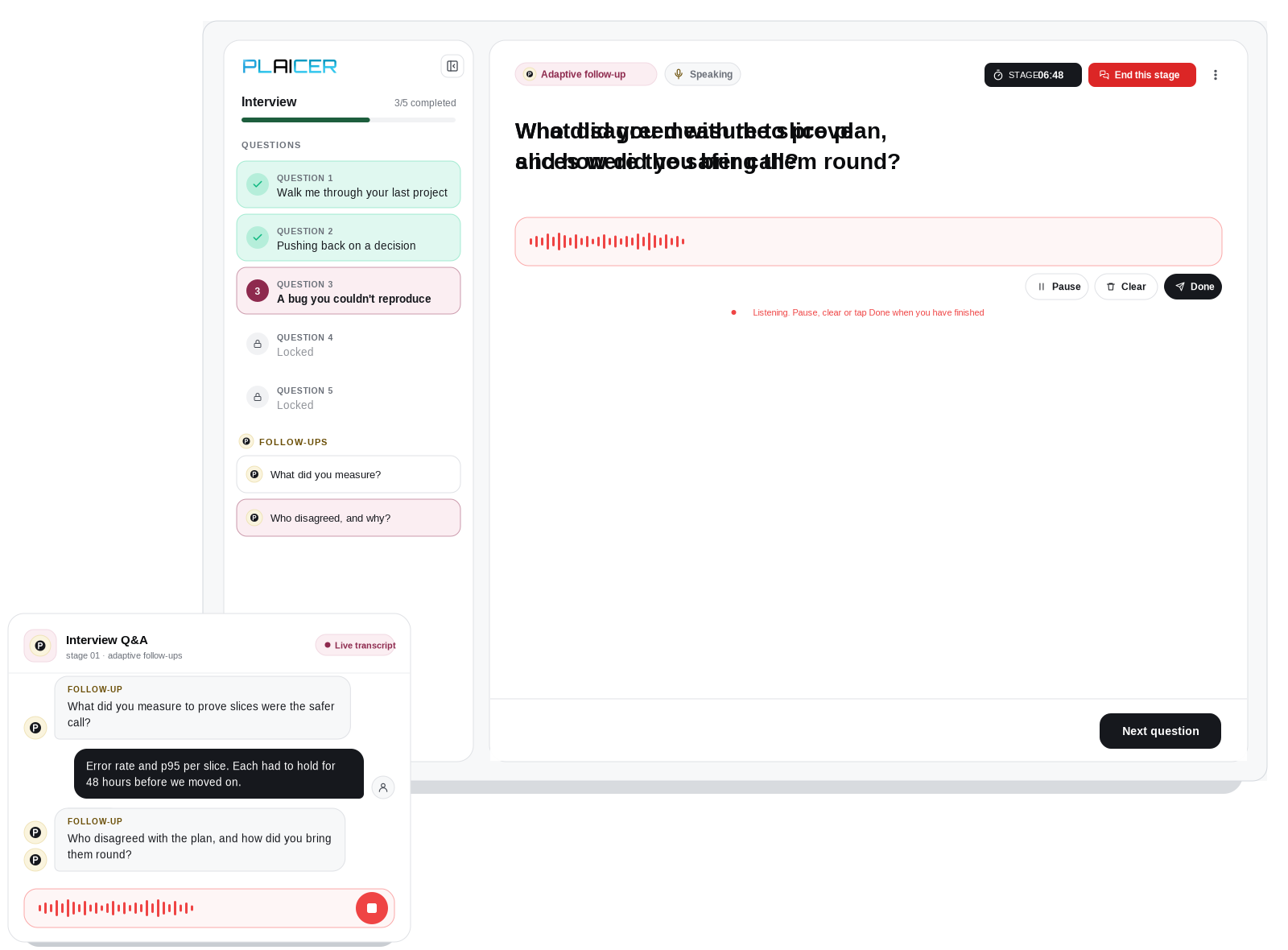
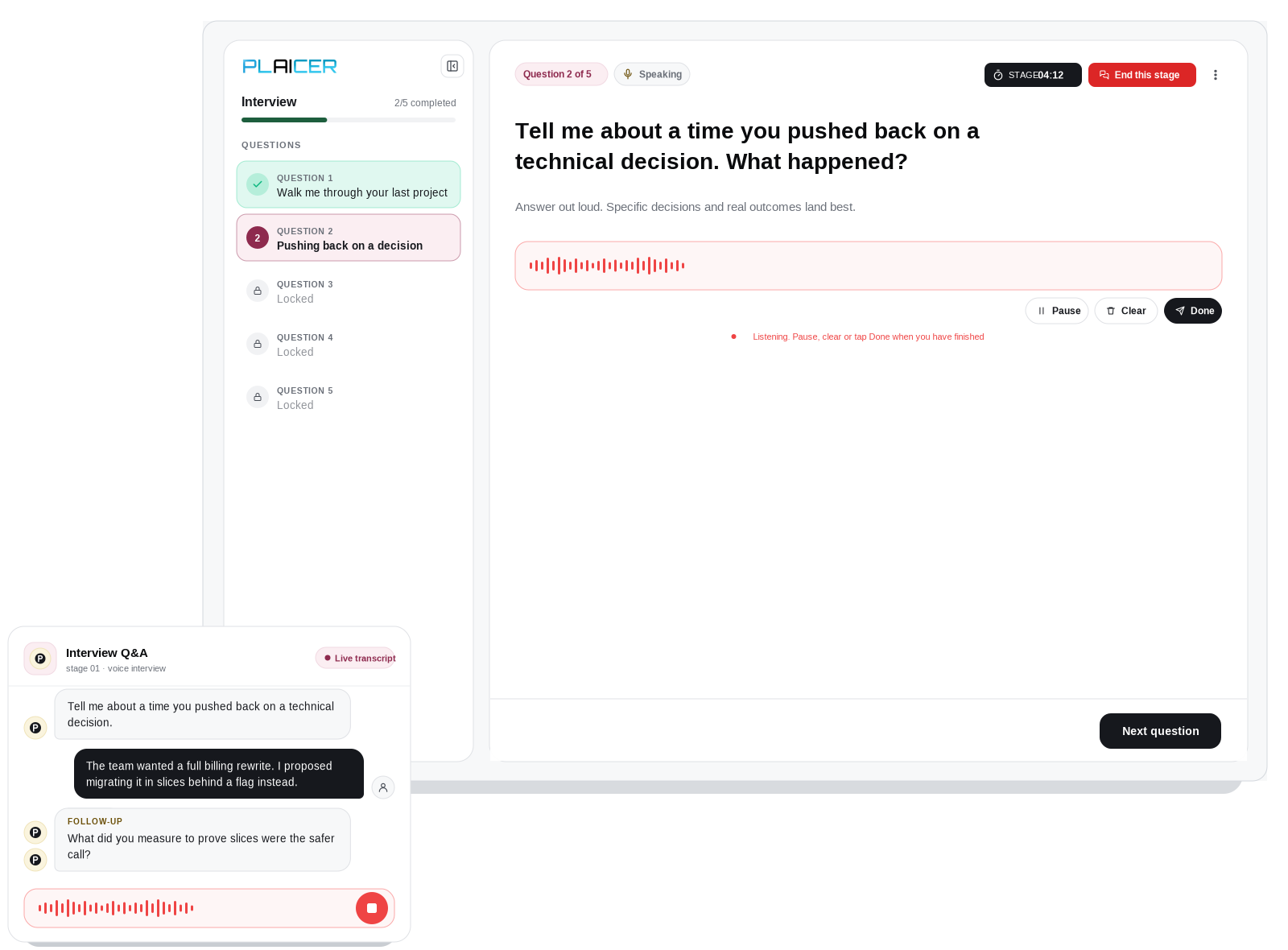
How Interview Q&A works
In a real interview the interviewer asks technical questions about the role and checks how well you understand each answer. Here the interviewer asks questions from the focus you chose and from the shared fundamentals. You answer by voice, by typing or in a code editor, depending on the question.
The questions are not a fixed list. When an answer is thin, the interviewer asks for the evidence or the trade-off behind it.
- The interviewer asks a question from your focus area.
- You answer by voice, text or code, depending on the question.
- The interviewer follows up on what you said.
- Difficulty adjusts to how you are answering.
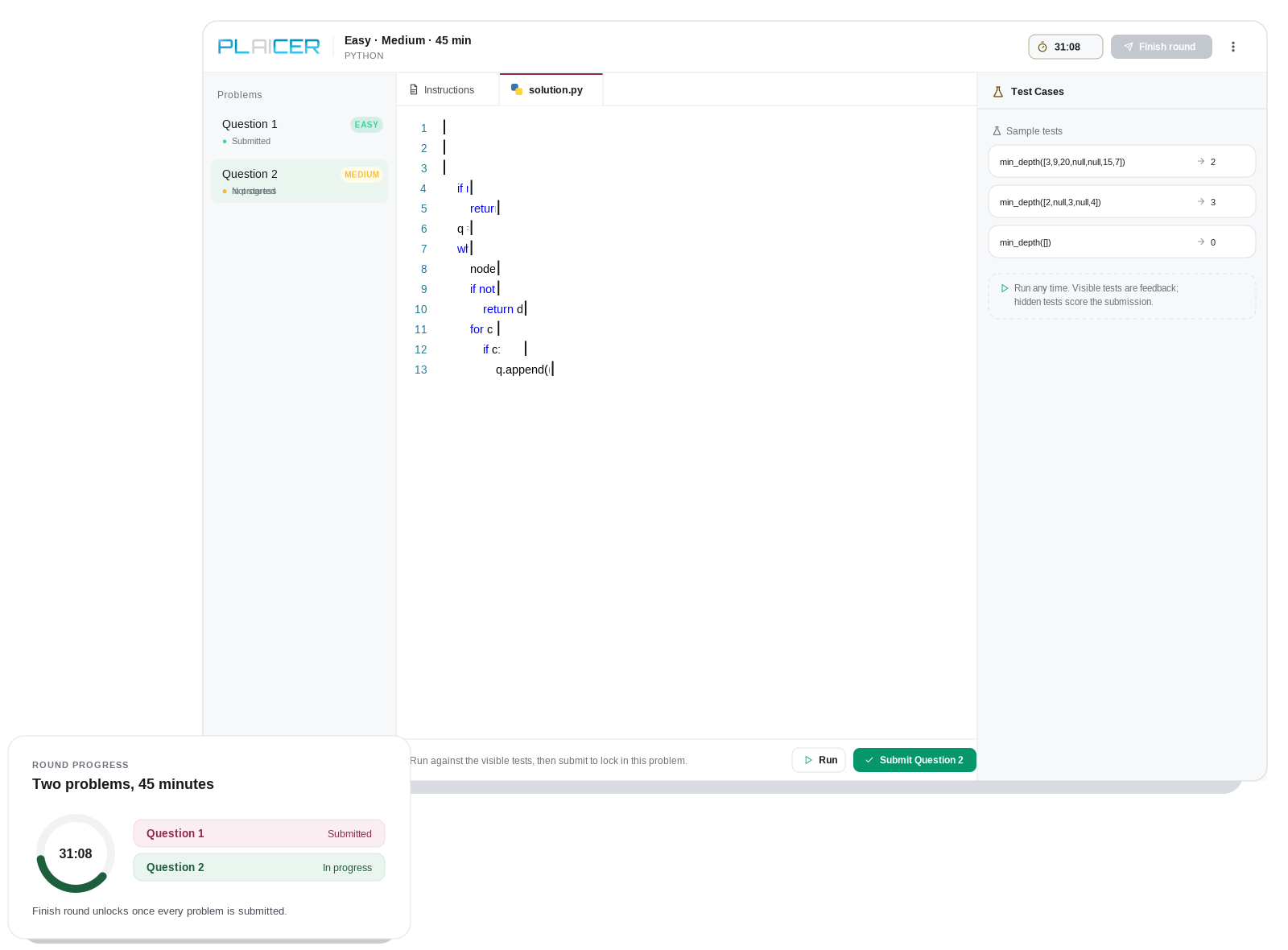
How your code is tested in a screening round
Every problem has visible test cases that you can run as often as you like. Each case shows the input, what your code returned and what was expected, so a failing edge case shows you what to fix.
When you submit, a larger set of hidden tests runs against your code. Their results stay hidden until the round ends, the same way the real assessment works.
- Run your code against the visible tests.
- Read the failing case, with its input, your output and the expected output.
- Fix the bug and run again until every visible case passes.
- Submit, and the hidden tests run against your code.
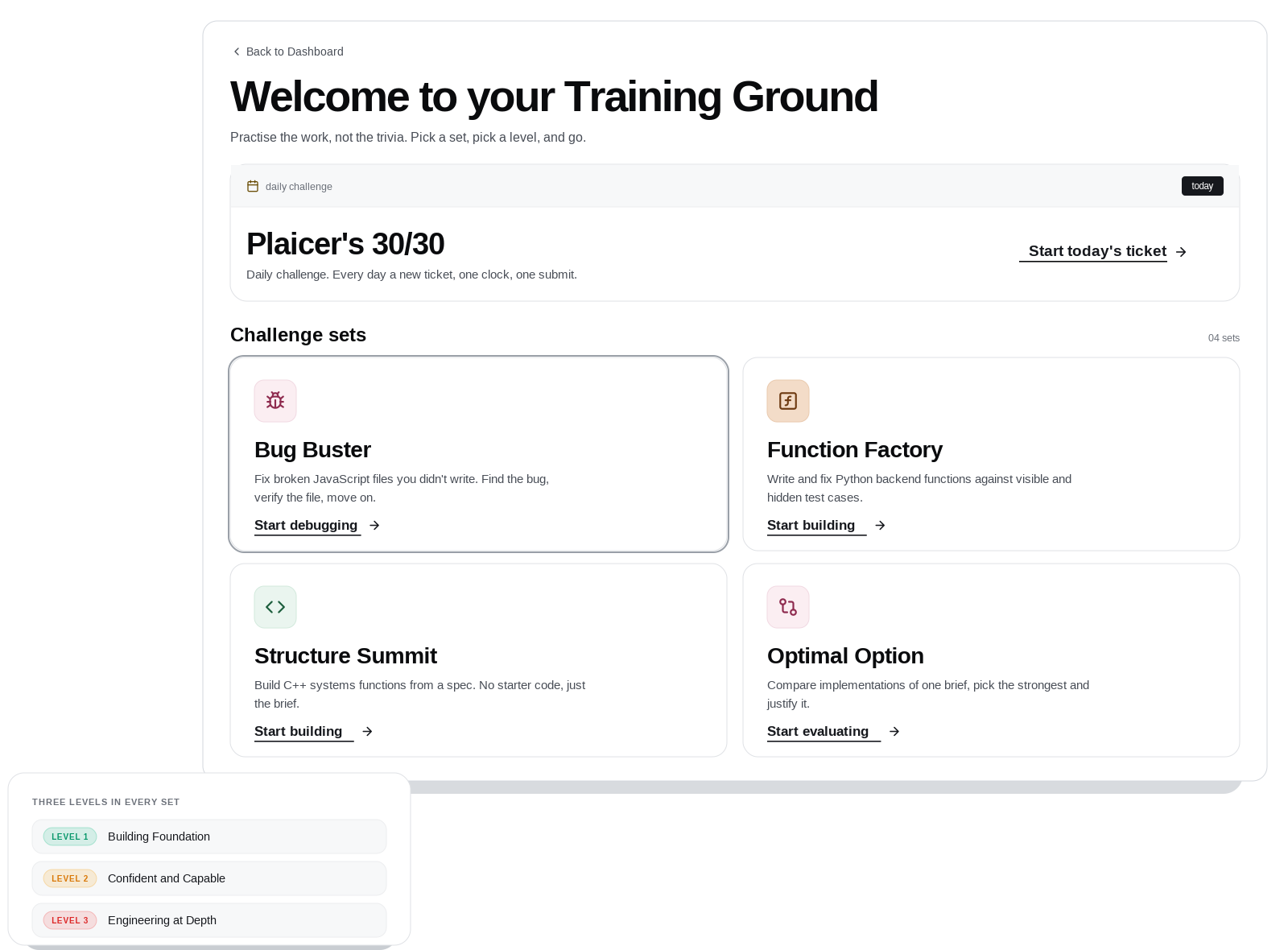
Training mode and Challenger mode
Every Training Ground task opens in one of two modes. Training mode has no time pressure and no full screen requirement, and you can switch tabs and copy and paste.
Challenger mode turns on full screen and starts a countdown. Leaving full screen or switching tabs is recorded.
- Choose a card, such as Python Backend Tasks or JavaScript Debugging Tasks.
- Choose Training mode or Challenger mode.
- Write or fix the code and run the tests.
- Submit and see which tests passed.
What the report shows for each stage
Each stage gets its own report. It gives an overall score, a score for each named dimension, the areas to work on, your strengths and what to practise next. If you practise more than one stage, a summary looks across the stages for gaps that keep coming up.
Skills scored in every stage
- Communication
- Question-asking
- Depth under probing
Free tools for revision
The online compilers and interview questions are free and do not use credits.
If your university runs a cohort on Plaicer
See Plaicer for universitiesYour university can invite you to a cohort. Stages you start as a cohort member are paid from the cohort's credits.
Your educators see the same report you see for each stage. Transcripts of your spoken answers are not part of those reports.
An educator can ask to watch one of your stages live. If you accept, they hear you, see the transcript of that stage and take notes, and they can share their notes with you after the stage. You are shown when a stage is being observed.
Other ways people use Plaicer
Each page describes the products that matter most for one kind of reader and the interview each product prepares for.
Questions about Plaicer for students
Answers to common questions. For anything else, email the Plaicer team.
Email a questionDo I have to practise every stage?
No. Every stage of Technical Interview Practice is available on its own, and one stage is enough. If you practise more than one, each stage still gets its own report, plus a summary that looks across the stages for gaps that keep coming up.
What does each stage cost?
Interview Q&A, Project Deep Dive and Code Review cost 1 credit. Live Coding, System Design and a data structures and algorithms screening round cost 2. In Building with AI, AI Knowledge Q&A costs 1 credit, and AI Feature Build and AI Workflow Design cost 2 each. Once you enter a stage, its credits are spent.
Which languages can I use in a screening round?
Python, Java, C++ and JavaScript. You choose your language when you set up the round, and every problem has been checked as solvable in that language before it is given to you.
Is my voice recorded?
Your speech is transcribed by your browser's built-in speech service. Plaicer stores the text transcript and does not store audio or video.
What can my educators see if I am in a cohort?
Educators in your cohort see the same report you see for each stage, with its scores, areas to work on and strengths. Transcripts of your spoken answers are not part of those reports. An educator can ask to watch one of your stages live, and if you accept, they hear you, see the transcript of that stage and can take notes. You are shown when a stage is being observed.
Are the online compilers and interview questions free?
Yes. The online compilers and interview questions are free tools for revision and do not use credits.
Start Technical Interview Practice
Choose your role, your focus and the stages you want to practise. Each stage you complete gets its own report.