30/30 Daily Practice
Interviews judge whether your code produces the right result, often from a short brief and with no feedback while you work. 30/30 Daily Practice gives you one production-framed task a day to practise that.
You pick your language, write your solution and submit it before the daily reset. Opening the task counts as your one attempt, and your report card arrives the next day.
- 01pass
Median of [50,10,40,20,30] returns 30
- 02fail
p75 of [100,200,150,50,250] returns 200
- 03fail
p25 lower-bound returns the correct value
- 04fail
Empty input returns 0
- 05fail
Deterministic across 100k samples
What you see and do in 30/30 Daily Practice
Interviews often judge code only by its result, from a short brief, with no help while you work. Each daily task gives you that setting once a day at the level you choose.
The daily cycle
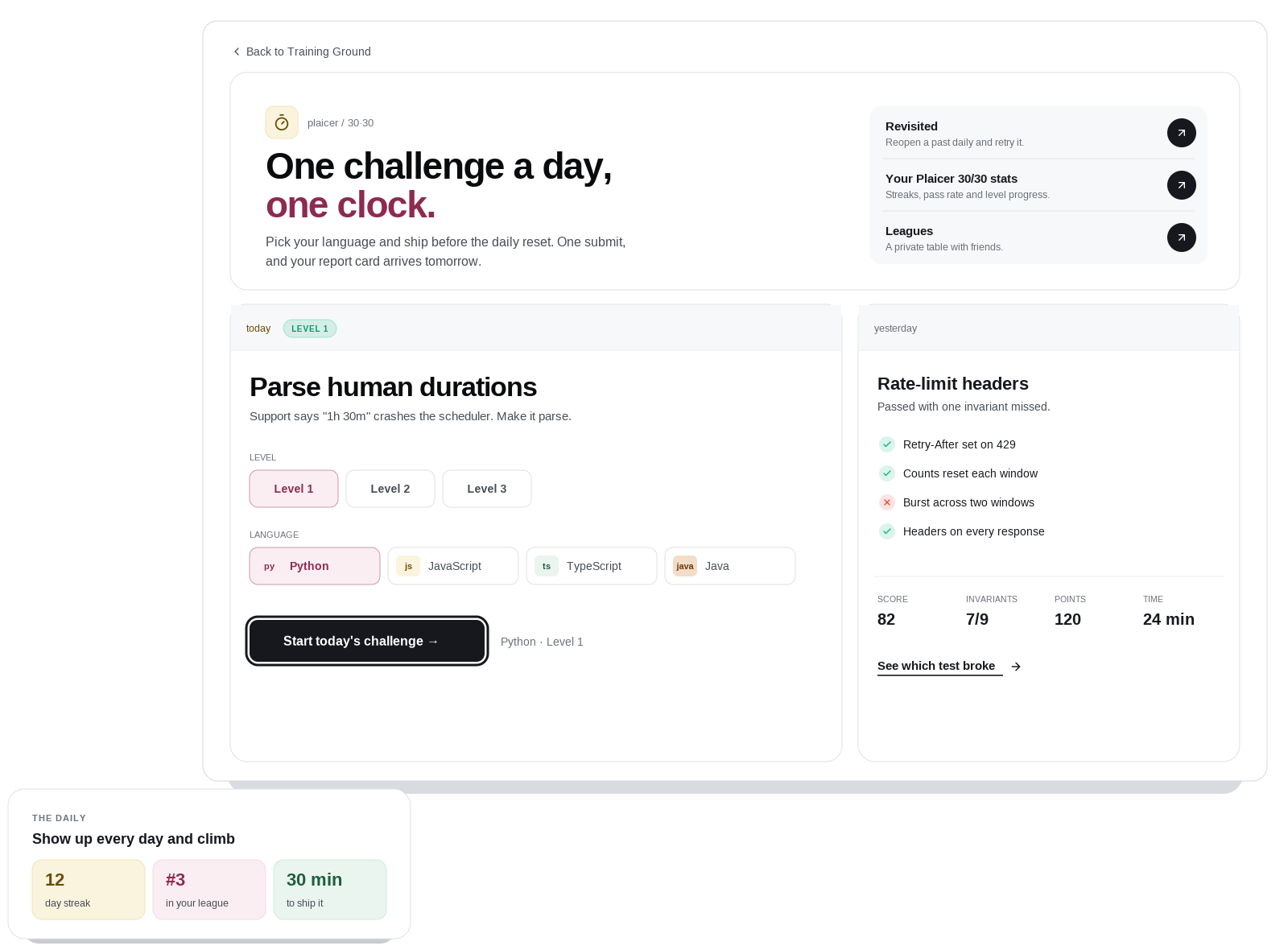
A new task opens each day at 03:00 Malta time. Submissions for a day close at 01:00 the next morning.
Between 01:00 and 03:00 the page shows Between days while the league tables are settled, and no task can be started.
One attempt per task
Opening today's task counts as your attempt. If you leave the task and come back, it does not open again, whether or not you submitted.
Languages
Python, JavaScript, TypeScript, Java and Go, where the task supports them. Python is chosen first when it is available.
Switching language replaces your code with the starter code for the new language, and the editor asks you to confirm first.
Runs and tests
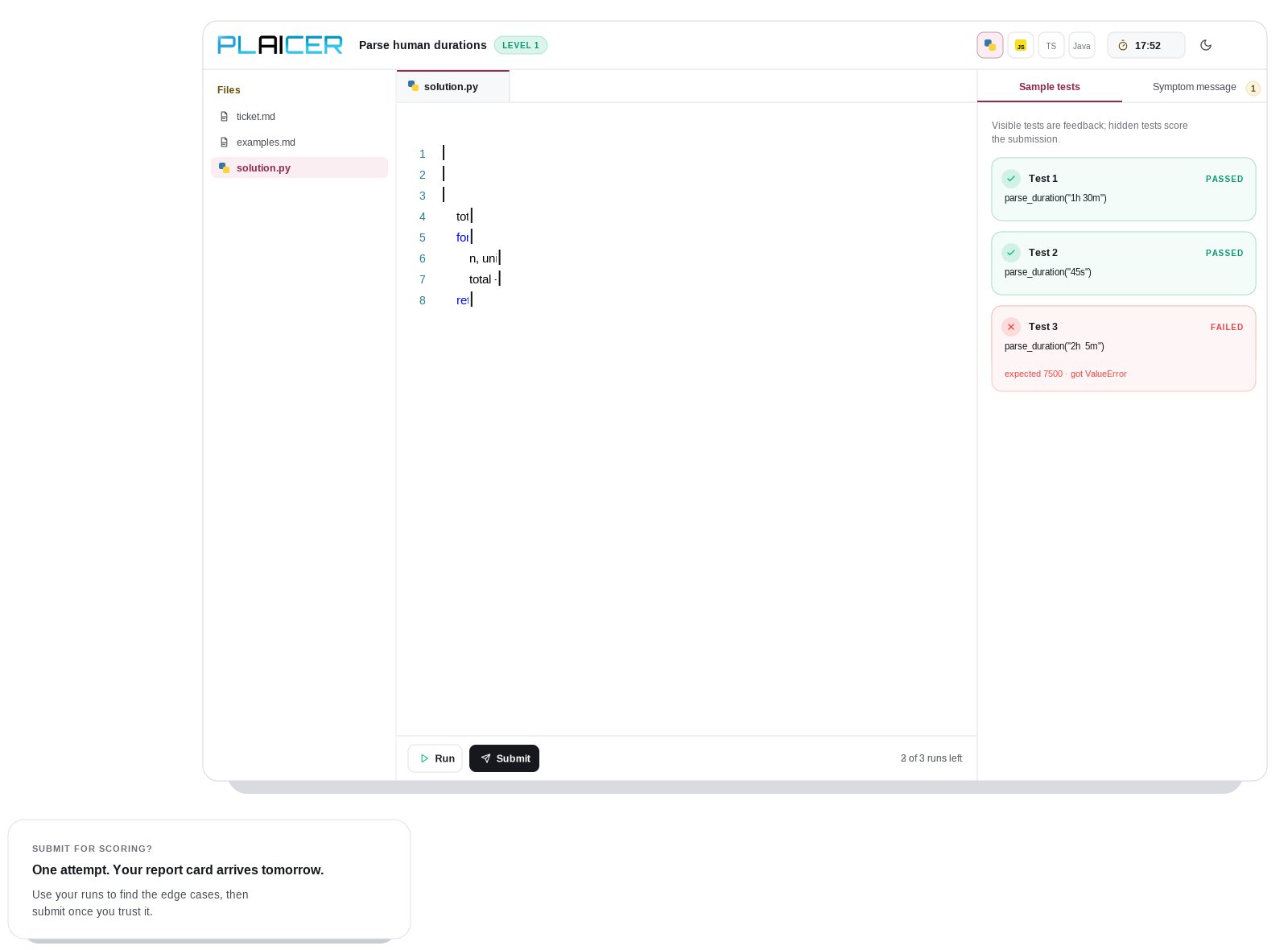
You have three runs for each daily task. Each run reports how many sample tests passed.
The Sample tests tab shows the visible tests as calls in your language with their expected output. The Symptom message tab shows a pass or fail and a symptom line for every test. Hidden tests do not show their inputs or expected output.
Submitting
Submit for scoring gives you one attempt. You do not see a score when you submit, and a submitted task cannot be submitted again.
Each task has its own time limit, shown as a timer while you work.
The report card
The next day, the report card for your submission shows a status based on how many of the behaviours checked failed, from Production behavior verified to Systemically unsafe for production.
It lists a feedback line for each behaviour checked and shows your score, the behaviours passed, your points and your time. See which test broke takes you to the task in Revisited.
Streaks
Your streak counts the consecutive days on which you submitted a daily task that passed at least one visible test. Missing a day ends it, and your best streak is kept.
Revisited
Past tasks appear in Revisited once their day has closed. With a Training Ground subscription you can try one again and see your full per-test result straight away. Retries are not saved.
Conditions
30/30 Daily Practice is daily practice, so full screen is not required, tab switches are not recorded and paste is not blocked.
Today's task and yesterday's report card
The 30/30 page shows today's task next to the report card for your last submission. You pick your language and submit before the daily reset. Every attempt counts toward your streak.
How a daily task works
The task tabs and your solution file are shown side by side. You have three runs to check your code before you submit.
- 01Read the task and the examples.
- 02Write your solution and use your runs to check it.
- 03Submit once for scoring.
- 04Read your report card the next day.
League standings
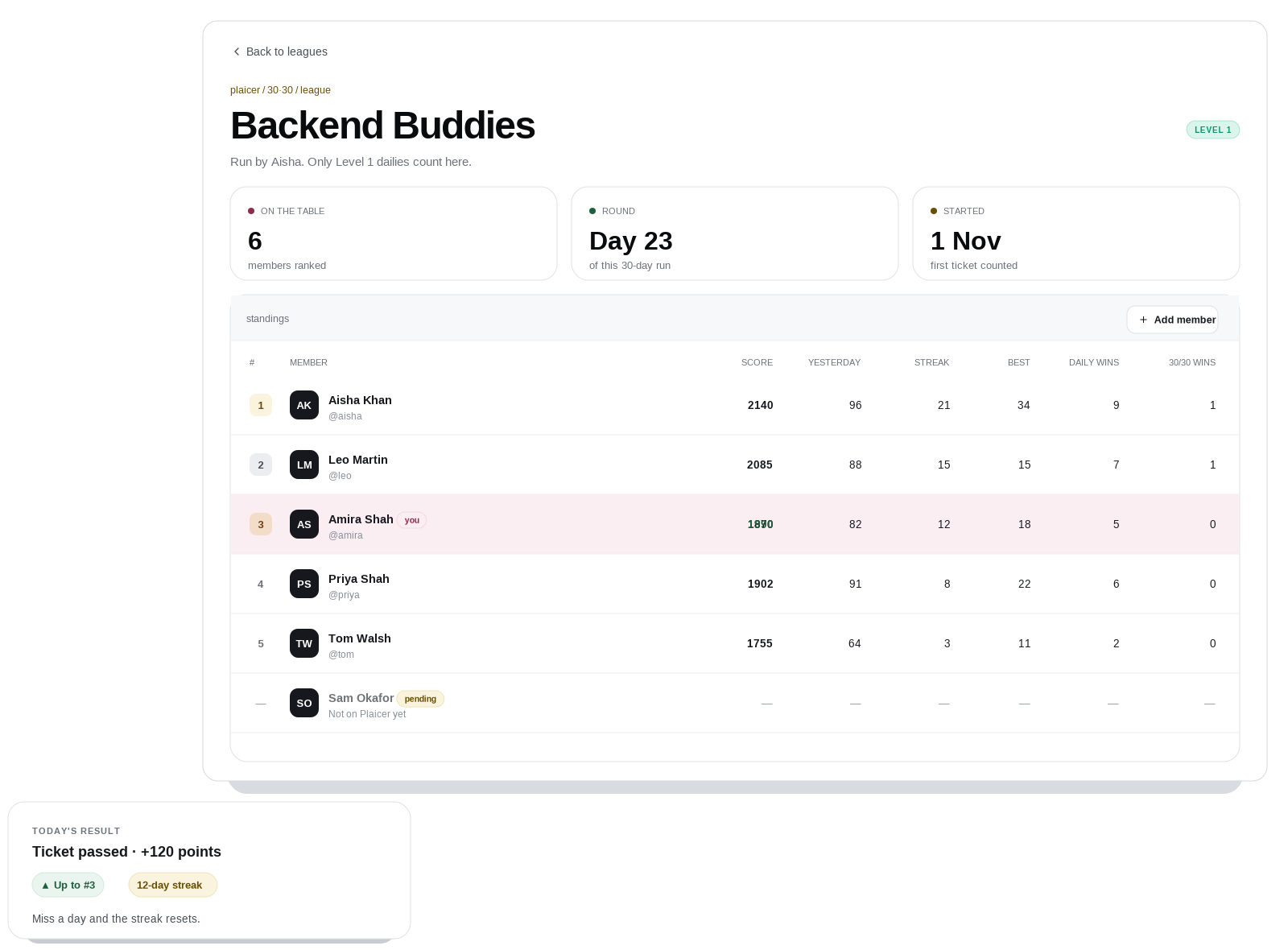
You can create a league for Level 1 or Level 2 and invite members by email. Only daily scores at the league's level count toward its table, and points are added after each day's results are settled.
Standings show each member's score, yesterday's result, streak, best streak, daily wins and 30/30 wins. A round lasts 30 days.
Three levels in every set
30/30 Daily Practice has two levels. You choose the level before you open the day's task.
Level 1, interview tasks
One production-framed task a day. The brief is short and explanations are minimal, so you decide what the task needs and write code that handles it. Interviews judge the result in the same way.
Level 2, on-the-job tasks
Daily tasks based on the work junior and mid-level engineers are expected to get right on the job. Results are judged on the output of your code.
What each daily task includes
A short brief
The task tabs describe what to build. Your solution file starts with starter code in the language you choose.
A production setting
Each task is set in a backend scenario such as checkout latency, rate limiters or ranking pipelines.
Visible and hidden tests
Visible tests show their call and expected output. Hidden tests report only a pass or fail and a symptom line.
One task a day
A new task each day, submitted before the daily reset. Every attempt counts toward your streak.